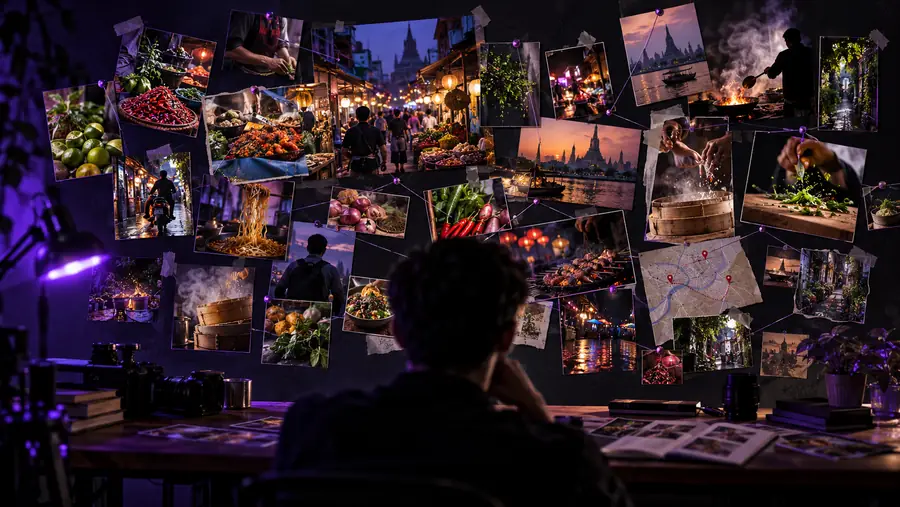
YouTube workflow

How does YouTube AI work? For creators

How does YouTube AI work? In practice, AI now generates parts of the video itself: short clips, stills, music, and narrated faceless Shorts. Everygenai covers those production steps while you keep control of the final story, facts, voice, and upload decisions.

Creator planning a YouTube video with AI-assisted visual ideas

Creator scenarios

One workflow, four YouTube use cases

The best results come from giving AI a specific production job instead of asking it to run an entire channel without supervision.

The first-time creator

You have a topic but no strong angle, structure, or opening hook.

Use an Everygenai faceless video template: pick a niche, voice, music, and art style, and review the drafted script, narration, and captions.

everygenai tutorial

The educational channel

Your research is useful but difficult to turn into a concise, watchable explanation.

Generate B-roll clips with Veo 3.1 and illustrative stills with image models, then place them under your own recorded explanation.

what is everygen ai

The product reviewer

You need a repeatable format without making every review sound identical.

Create product close-ups and thumbnail concepts with image models, then turn a chosen still into a short demo shot with image-to-video.

everygenai online free

The established channel

A backlog of ideas is competing with limited time for scripting and pre-production.

Use templates and Suno music beds to batch Shorts, then reserve human time for judgment, filming, editing, and community response.

everygenai free

Three-stage method

From channel idea to publishable draft

Treat AI as a production assistant with clear handoffs. Each stage should produce an artifact that a creator can inspect before moving forward.

Define the viewer promise

Start with the audience, topic, intended takeaway, and format. Choose one promise that is specific enough to guide the title, opening, and the shots you will need.

Develop the video package

Generate the visual package around that angle: clips for key shots, stills for the thumbnail, a music bed, or a templated faceless Short. Export the scene list to CapCut or Premiere when it needs real editing.

Review before publishing

Check the script for accuracy, repetition, unsupported claims, awkward phrasing, and a mismatch between title and content. Then make the final creative and upload decisions yourself.

Workflow contrast

Before and after an AI-assisted brief

The difference is not that AI replaces the creator. The improvement is a more structured handoff between an unfinished idea and deliberate production work.

Loose idea

Unstructured YouTube idea waiting for production planning
Organized video editing workflow with a clearer production brief
Reviewed production brief

AI adds structure; the creator keeps editorial control.

Important limits

What YouTube AI cannot do for you

A useful workflow includes boundaries. Everygenai can generate clips, images, music, and template-based Shorts, but it should not be treated as an automatic publisher, fact-checker, or substitute for your judgment.

It cannot guarantee factual accuracy

A polished script can still contain errors, outdated claims, invented details, or misleading confidence.

WorkaroundVerify important claims against primary or trustworthy sources before recording or publishing.

It cannot know your audience automatically

AI can suggest audience profiles and angles, but it does not possess your channel history, community context, or lived relationship with viewers.

WorkaroundSupply real audience questions, comments, retention lessons, and examples of videos that performed well or poorly.

It cannot replace your voice

Generated language may be generic, over-explained, or unlike the way you naturally speak on camera.

WorkaroundRewrite the draft aloud, add personal observations, and remove any sentence you would not say.

It cannot make publishing risk disappear

Copyright, privacy, disclosure, impersonation, and platform-policy questions still belong to the creator and publisher.

WorkaroundReview assets and claims, keep permissions documented, and follow current YouTube requirements.

Side-by-side view

Manual planning versus Everygenai-assisted planning

Both approaches can produce a strong video. The assisted route is most useful when it reduces blank-page friction without removing review, taste, or accountability.

Manual planning Everygenai-assisted planning
1

Starting point

Manual planning

Notes, research, and a rough topic

Everygenai-assisted planning

A topic plus a structured prompt or brief

2

Idea development

Manual planning

Creator generates and sorts angles alone

Everygenai-assisted planning

Creator sets the angle; AI generates visual options to compare

3

Script ownership

Manual planning

Creator writes and edits every line

Everygenai-assisted planning

AI drafts; creator rewrites, verifies, and approves

4

Fact checking

Manual planning

Creator verifies claims directly

Everygenai-assisted planning

Creator must still verify claims directly

5

Voice consistency

Manual planning

Naturally aligned with the creator's voice

Everygenai-assisted planning

Requires examples, editing, and a spoken read-through

6

Production handoff

Manual planning

Planning details may stay scattered

Everygenai-assisted planning

Scenes, narration, and captions sit in one project scene list

7

Final responsibility

Manual planning

The creator owns the result

Everygenai-assisted planning

The creator owns the result

Format checks

Useful numbers for a YouTube brief

These are production references, not promises about output. Confirm the current requirements for your channel and the specific YouTube format before publishing.

Common landscape frame for standard long-form viewing
16:9
Common portrait frame for vertical short-form viewing
9:16
Practical full-HD reference for planning export quality
1080p

Start with one video

Turn one YouTube idea into a clearer brief

Give Everygenai a topic, audience, and desired outcome, then use the result as a draft for your own research, voice, and editorial decisions. A focused first project makes it easier to judge where AI genuinely saves time.

  • Define the viewer promise before drafting
  • Review claims, rights, and originality
  • Keep the final publishing decision human

Scenario FAQ

Questions creators ask about YouTube AI

YouTube AI can support parts of a creator workflow such as idea development, outlining, scripting, visual planning, editing assistance, and audience analysis. It does not remove the need for human review, accurate sourcing, original judgment, or responsibility for the published video.

Its faceless video template can: choose a niche, voice, music, and art style, and it drafts the script, narration, and captions as a scene list you can regenerate, reorder, and export. Check its claims and adapt the language before you publish.

Not reliably. A publishable video still needs decisions about research, rights, disclosure, voice, visuals, editing, metadata, and audience fit, and those decisions should be reviewed by the creator.

Provide the target viewer, topic, desired takeaway, approximate format, tone, available footage or sources, and any claims that must be handled carefully. The more specific the brief, the more useful the outline is likely to be.

Use AI for structure and alternatives rather than accepting its first draft as your identity. Supply examples of your natural phrasing, read the result aloud, add personal experience, and remove language that sounds generic or unlike you.

Start creating
Start creating